Benefits List Block
List your instructions or any information you want to share with customers.
1. Go to shopify Admin panel
Click on apps => TSS Checkout Customization
2. Click on Manage button to add Benefits List Block widget
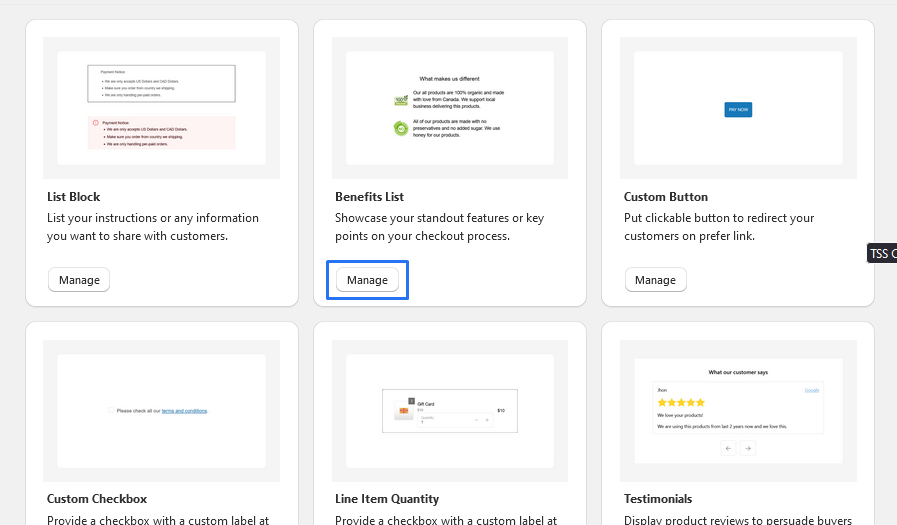
3. To Add Benefits List Block, simply click on the "Add App Block" button and follow the furter process

4. Click on Benefits List Block from the list to add the Benefits List Block extensions
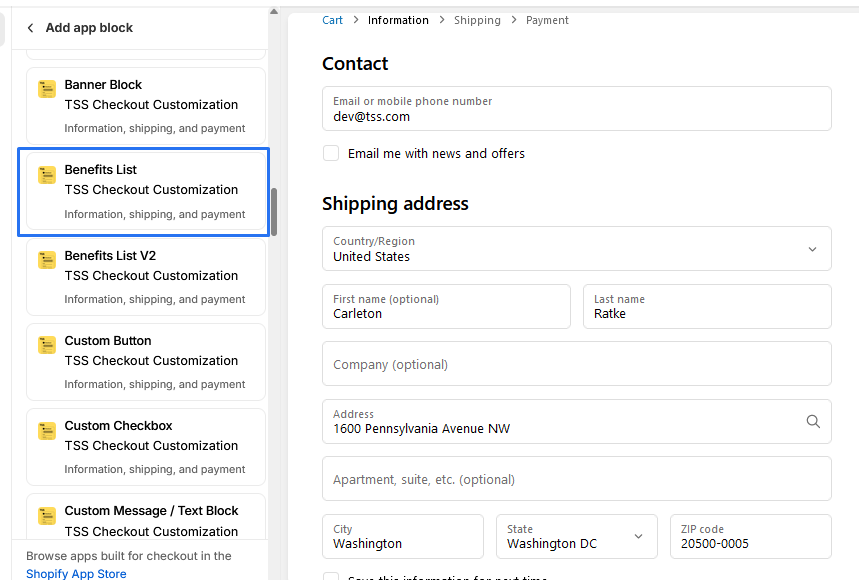
5. Benefits List Block
* We provide bellow settings
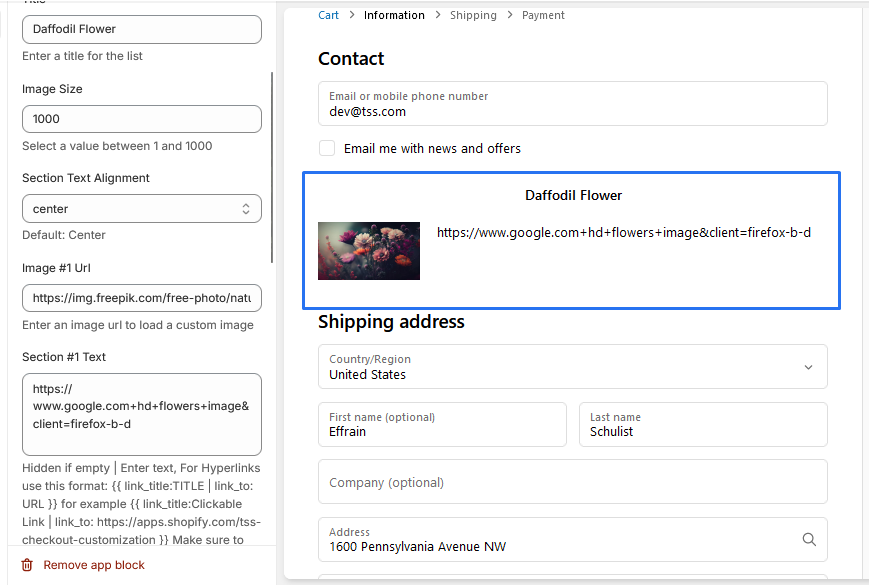
1. Title: The title of the list is "Daffodil Flower".
2. Image Size: You can adjust the size of the image to a value between 1
and 1000. Currently, it is set to 1000.
3. Section Text Alignment: The text alignment for the section is
centered. This means that the text will be aligned in the
center of the section.
4. Image URL: You can replace the current image URL with a custom image
URL of your choice.
5. Section #1 Text: The text for the first section is not provided in
the context. You can add your own text here.
6. Block Alignment : we also provide Alignment start,end,center