Delivery Instructions Block
Prompt customers for Deliveryy preferences.
1. Go to shopify Admin panel
Click on apps => TSS Checkout Customization
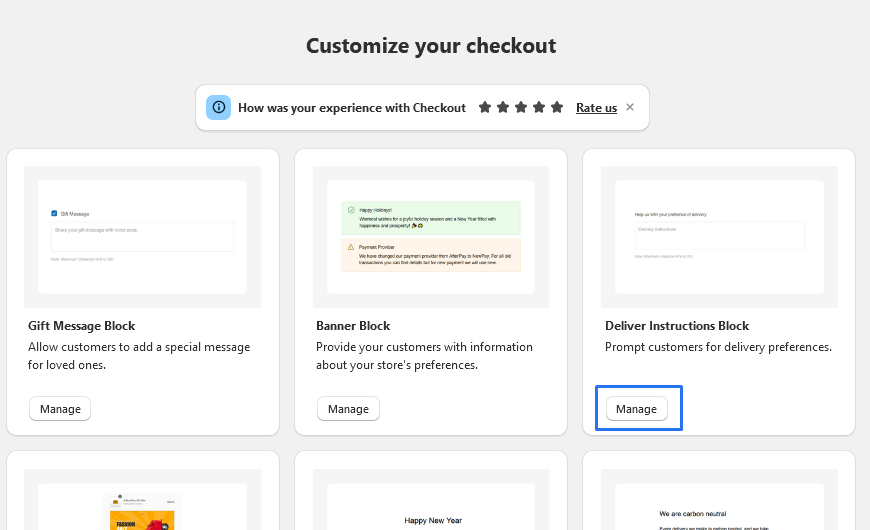
2. Click on Manage button to add Delivery Instructions Block widget
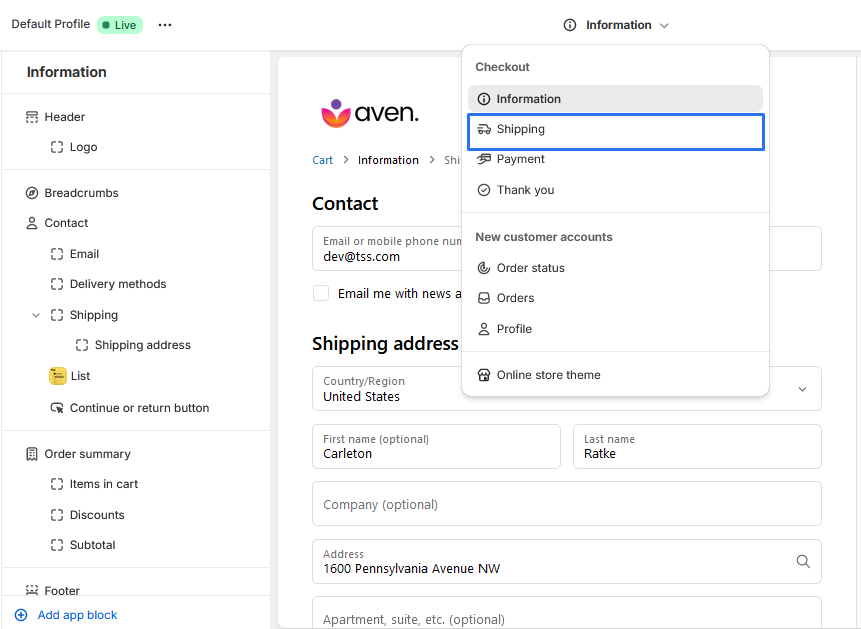
3. Click on Information dropdown, select 'Shipping Method' to add the Delivery Instructions Block widget.
4. To Add Banner Block block, simply click on the "Add App Block" button and follow the furter process

5. Click on Delivery Instructions Block from the list to add the Delivery Instructions Block extensions
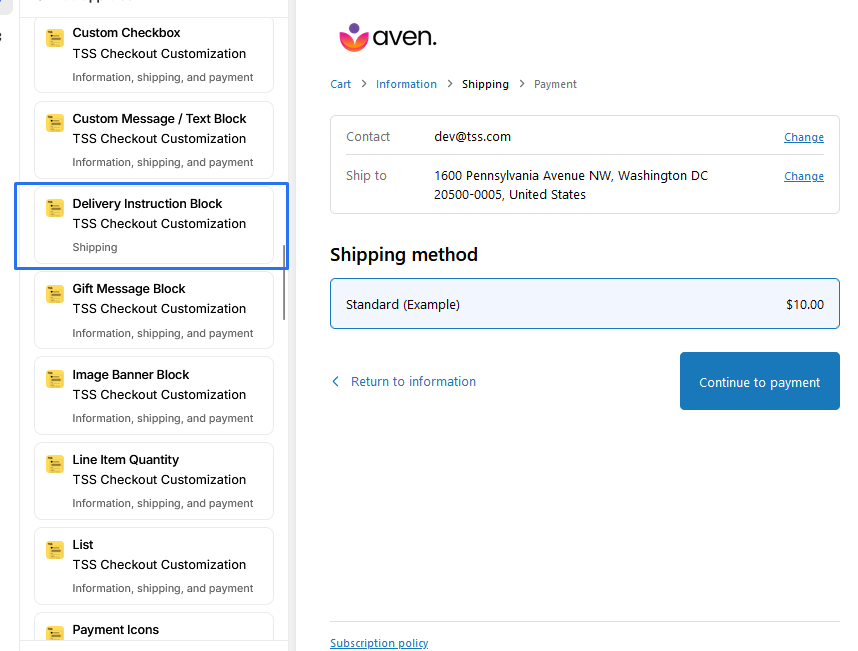
6. Delivery Instructions Block
-
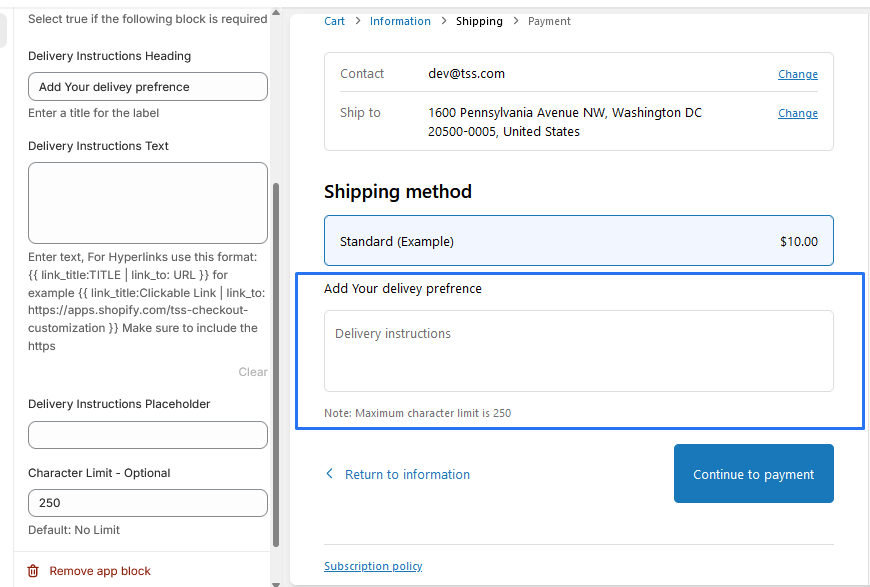
1. Character Limit - Optional: Enter a number for the limit or leave it blank for no limit.
-
2. Delivery Instructions Placeholder: Enter the text you want to appear as a placeholder.
-
3. Delivery Instructions Text: Enter the default text for the field if needed.
-
4. Delivery Instructions Heading: Enter the title for the Delivery Instructions Text field.
We provide bellow settings.